Your Google Business Profile isn't just a digital business card; it's a mini social media platform that most local businesses completely ignore. While your competitors let their profiles sit static, you could be posting content that shows up directly in Google Search results, driving calls, website visits, and foot traffic.
Here's the thing: businesses that post weekly on their Google Business Profile see roughly 2x more profile views than those that don't. And unlike social media posts that disappear into algorithmic oblivion, GBP posts show up when people are actively searching for businesses like yours.
This guide breaks down exactly what to post, when to post it, and gives you a complete 4-week content calendar you can start using today.
01 Why GBP Posts Matter (The Business Case)
Before we get into the tactical stuff, let's establish why this is worth your time.
They show up in search results
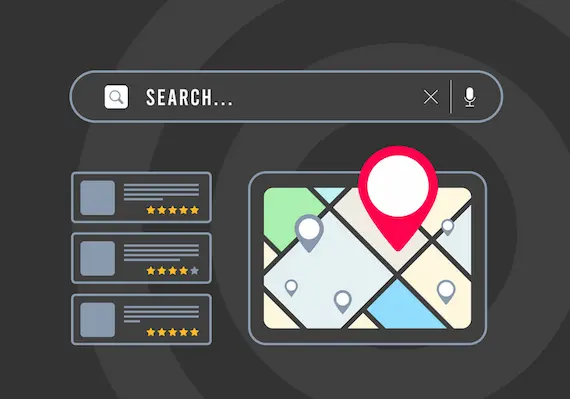
When someone searches for your business name or finds you in the local pack (the map results), your recent posts appear right there in the knowledge panel. This is prime real estate that most businesses leave completely empty.
They signal activity to Google
An active profile tells Google your business is operational and engaged. While the direct SEO impact is debated, the indirect benefits (increased engagement, more clicks, more actions) are well-documented.
They drive actual actions
GBP posts can include call-to-action buttons: Call Now, Learn More, Book, Order Online, Sign Up, Get Offer. These aren't just vanity metrics; they're direct conversion opportunities when someone is already looking for what you offer.
The opportunity: According to Google's own data, businesses with complete profiles (including regular posts) are 70% more likely to attract location visits and 50% more likely to lead to a purchase consideration.
02 The Four Types of GBP Posts
Google Business Profile offers four distinct post types. Each serves a different purpose, and a good posting strategy uses all of them.
1. Update Posts
These are your general announcements, tips, and news. Think of them as your primary content vehicle. They stay visible for 7 days before being archived.
Best for: Industry tips, company news, behind-the-scenes content, educational information, community involvement.
2. Offer Posts
Promotions, discounts, and special deals. These include a "View offer" button and require you to set an expiration date. They're highlighted with a yellow "Offer" tag.
Best for: Seasonal promotions, first-time customer discounts, limited-time deals, holiday specials.
3. Event Posts
For anything with a specific date and time: workshops, grand openings, webinars, community events. These remain visible until the event date passes.
Best for: Open houses, classes, workshops, sales events, community involvement, grand openings.
4. Product Posts
Showcase specific products or services with photos, descriptions, and prices. These are particularly useful for retail, restaurants, and service businesses with defined offerings.
Best for: New product launches, featured services, menu items, seasonal inventory.
Pro tip: Mix all four post types throughout the month. A profile with only promotional offers looks spammy. A profile with only updates might not drive immediate action. Balance is key.
03 What to Post: Content Ideas by Business Type
The biggest barrier to consistent posting is figuring out what to say. Here's a breakdown by industry to get you started.
Home Services (Roofers, Electricians, Plumbers, HVAC)
-
Before/after project photos (with permission)
-
Seasonal maintenance tips ("5 signs your roof needs attention before winter")
-
Team spotlights and certifications
-
Emergency service availability reminders
-
Financing options or special offers
Restaurants and Cafes
-
Daily/weekly specials
-
New menu items with appetizing photos
-
Behind-the-scenes kitchen content
-
Event hosting availability
-
Holiday hours and special menus
Professional Services (Lawyers, Accountants, Consultants)
-
Educational content about common questions
-
Industry news that affects clients
-
Awards, recognitions, and certifications
-
Free consultation offers
-
Deadline reminders (tax season, filing deadlines, etc.)
Retail Stores
-
New arrivals and restocks
-
Sale announcements
-
Product spotlights with use cases
-
Customer photos (with permission)
-
Extended holiday hours
Healthcare and Wellness
-
Health tips and wellness advice (general, not medical advice)
-
New services or treatments offered
-
Staff introductions and credentials
-
Appointment availability reminders
-
Insurance and payment options
04 The 4-Week Content Calendar
Here's a repeatable framework you can adapt to your business. This assumes 2 posts per week. Adjust up or down based on your capacity.
| Week | Post 1 (Monday/Tuesday) | Post 2 (Thursday/Friday) |
|---|---|---|
| Week 1 | Update: Educational tip or industry insight | Product/Service: Feature a specific offering |
| Week 2 | Update: Behind-the-scenes or team spotlight | Offer: Current promotion or discount |
| Week 3 | Update: Customer success story or testimonial highlight | Product/Service: Different offering than Week 1 |
| Week 4 | Update: Community involvement or local news tie-in | Event: Upcoming event, or if none, another Update |
Seasonal adjustments: During holiday seasons or your industry's busy period, increase posting frequency and lean heavier on Offer and Event posts. During slower periods, focus on educational Updates that build trust.
05 Writing Posts That Actually Get Engagement
A GBP post isn't the place for a novel. You have limited space and even more limited attention. Here's how to make every word count.
The anatomy of a good GBP post
-
Hook (first line): The only part guaranteed to be seen. Make it count. Lead with the benefit or the most interesting part.
-
Body (2-3 sentences): Expand on the hook. Include relevant details. Keep it scannable.
-
CTA: Tell them what to do next. Call, click, visit, book.
Example: Before and after
Weak post:
"We offer roofing services in the Reading area. Contact us for a free estimate. We've been in business for 15 years."
Strong post:
"Your roof takes a beating every winter. Here's one sign most homeowners miss: granules collecting in your gutters. If you're seeing them, your shingles are aging faster than you think. We're offering free 15-point roof inspections this month. Call to schedule yours before the next storm hits."
The weak post is about the business. The strong post is about the customer's problem and offers a clear, low-commitment next step.
06 Image Best Practices
Every GBP post should include an image. Posts with photos get significantly more engagement than text-only posts.
Technical requirements
-
Recommended size: 1200 x 900 pixels (4:3 aspect ratio)
-
Minimum: 400 x 300 pixels
-
Format: JPG or PNG
-
File size: Under 5MB
What makes a good GBP image
-
Original photos beat stock. Real photos of your work, team, and location build trust.
-
Good lighting matters. Natural light or well-lit spaces photograph better.
-
Center your subject. Mobile crops can cut off edges. Keep important elements in the middle.
-
Avoid heavy text overlays. Text on images often becomes unreadable on mobile.
Quick tip: Create a photo library. Spend an hour taking quality photos of your work, your team, your location, and your products. Having a library of ready-to-use images removes the biggest friction from posting consistently. Our Google Business Profile photo guide covers the exact sizes and types that perform best.
07 Common Mistakes to Avoid
-
Posting only when you remember: Sporadic posting looks worse than not posting at all. Commit to a schedule or don't bother.
-
Being too promotional: If every post is "Buy this!" or "We're the best!", you're training people to ignore you. Mix value with promotion.
-
Ignoring the CTA button: Every post type lets you add a call-to-action. Use it. "Learn More" linking to your website is the minimum.
-
Using stock photos for everything: People can spot stock photos instantly. They undermine the authenticity GBP posts can provide.
-
Writing walls of text: GBP posts aren't blog articles. Keep it under 300 words, ideally under 150 for Updates.
-
Forgetting mobile users: Most people viewing your profile are on phones. Short sentences, clear CTAs, centered images.
08 Tools for Scheduling and Management
Google Business Profile doesn't offer native scheduling, but several third-party tools can help you batch-create and schedule posts in advance.
Free or low-cost options
-
Publer: Free tier includes GBP scheduling
-
OneUp: Starts at $18/month with GBP support
-
Canva: For creating post images with templates
Enterprise options
-
Semrush: Includes GBP posting in their local SEO tools
-
Hootsuite: GBP integration available on Business plans
-
Sprout Social: Full GBP management for agencies
DIY alternative: If you don't want to pay for tools, set a recurring calendar reminder and batch-write a month's worth of posts in one sitting. Store them in a simple spreadsheet with the post text, image filename, and scheduled date.
09 Measuring What's Working
Your Google Business Profile dashboard shows insights for your posts, though the data is somewhat limited.
What you can track
-
Post views: How many people saw the post
-
CTA clicks: How many clicked your button
-
Profile interactions: Calls, direction requests, website visits
What to look for
-
Which post types get the most engagement?
-
Which topics resonate most?
-
Does posting frequency correlate with profile views?
-
Are offer posts driving more calls than update posts?
For deeper analysis, you'll want to track GBP as part of your overall monthly SEO reporting. Look at trends over 3-6 months rather than week-to-week fluctuations.
10 Putting It All Together
GBP posting isn't complicated, but it does require consistency. Here's your action plan:
- Claim and optimize your profile first. Posts won't help if your basic information is incomplete or inaccurate.
- Build a photo library. Spend one hour taking quality photos of your work, team, and location.
- Create a 4-week content calendar. Use the template above as a starting point.
- Batch-write your posts. Write all four weeks at once, then schedule or set reminders.
- Set a recurring reminder. If you're not using a scheduling tool, calendar reminders keep you accountable.
- Review monthly. Check what's working and adjust your content mix.
The businesses that win local search aren't necessarily the ones with the biggest budgets. They're the ones that show up consistently, provide value, and make it easy for customers to take action.
Your Google Business Profile is one of the few marketing channels where you can reach people actively looking for what you offer, and it's completely free. Most of your competitors are leaving it empty. Don't make the same mistake.
Need help getting your Google Business Profile fully optimized, or want a done-for-you content strategy? Let's talk. And if you haven't already, check out our guide on how to respond to Google reviews. It pairs perfectly with a solid posting strategy.
Sources
- Google Support. (2024). Create posts on Google. https://support.google.com/business/answer/7662907
- Google Support. (2024). Add photos & videos to your Business Profile. https://support.google.com/business/answer/6103862
- Sterling, G. (2024). Google Business Profile posts: What works and what doesn't. Near Media.
- BrightLocal. (2024). Local Consumer Review Survey 2024. https://www.brightlocal.com/research/local-consumer-review-survey-2024/
- Whitespark. (2024). Local Search Ranking Factors. https://whitespark.ca/local-search-ranking-factors/
Ready to maximize your Google Business Profile?
Our Google Business Profile management services help local businesses post consistently, respond to reviews, and dominate local search results.
Get Your Free Audit